Collaborative workspace
Your team’s memory, organized.
Nested pages, live editing, whiteboards, and lightweight databases in one tree your team can actually find things in. Share with the team — or the web.
Free includes 1 GB and 100 API/MCP calls a month — no credit card. See plans.
How it works
Nest everything. Find anything.
Pages, databases, and whiteboards live in one sidebar tree — filter, drag to nest, favorite what you reopen every day.
- 01
Create a workspace
Name it and you land on a ready-made Getting started page — no blank-page problem.
- 02
Nest pages & boards
Drag pages, databases, and whiteboards into one tree that matches how you think.
- 03
Invite or share a link
Add the team by email, or publish a read-only Pro link to the web.
Pages
An editor that keeps up with the room.
Collaborative documents with presence, comments, and the blocks teams actually use.
- Blocks teams actually use
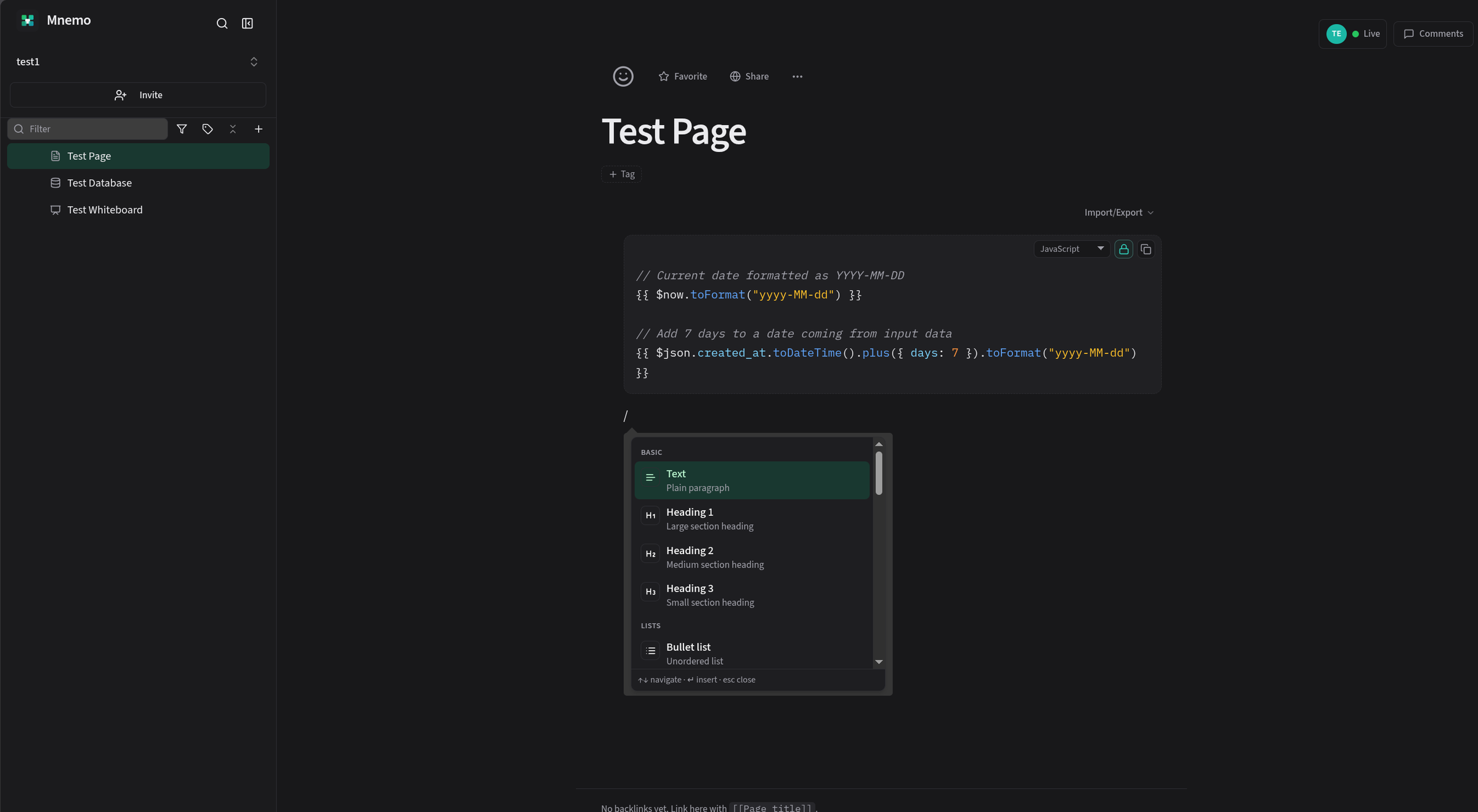
- Slash commands, H1–H6, equations, a live table of contents, callouts, toggles, tables, Mermaid diagrams, and lockable code blocks.
- Links that hold the tree together
- Type [[ to link a page, board, database, or row. Click a row chip to edit it without leaving the page.
- Comment threads with resolve
- Threads stay attached to the paragraph they belong to, then get out of the way.
- Version history
- Diff any of the last 20 versions, read a page as it was, and restore in one click. Agent edits are labeled with the token that made them.
Specs
Sync engine notes live in [[Architecture sketch]] — ping @ada before the review.
Basic
Text
Plain paragraph
Heading 1
Large section heading
Code
Lockable code block

Databases
Lightweight databases that still do the job.
Track work in a table, drag it across a kanban, or put it on a calendar — same rows, whichever view you open.
- Table, kanban, gallery, calendar, and chart views
- Saved views, group-by, and AND/OR filters
- Person, URL, auto-ID, relation, lookup, rollup, and formula fields
- Embed a live view or a read-only query inside any page
- CSV in and out
Whiteboards
Sketch the picture; keep it in the same workspace.
Boards sit next to the docs they explain, nested in the same tree — not in a separate tool with a separate login.
- Ink, highlighter, shapes, stickies, frames, and connectors
- Live collaboration on the same sync stack as your docs
- Searchable by title and the text on the board
- Page cards that follow a page’s title and verification
- PNG export of the board or just a selection

Share & access
Private by default. Public when you choose.
Two separate controls: who is on the team, and who can open this page. A public link shows one page — nothing around it.
Who can open this page?
Product plan / Specs
Private
Only you
Specific people
Ada, Priya, and Marcus
Inherit from parent
Follows Product plan
Public link
Anyone with the URL
Public link
ProExpires
Anyone with the link sees this page — its document or board, embeds, and the files attached here. Files on other pages stay private.
Invite by email for an instant add, or send an invite link. Every collaborator is an Owner, Admin, Member, or Viewer — there is no separate guest role to explain.
API & MCP
Your workspace, available to the agents you trust.
A thin REST API and Streamable HTTP MCP, so Cursor, Claude, and similar tools can search and write with the same permissions as people.
Personal access tokens
Create them under Settings → API & MCP. Read-only or write, optionally scoped to a page subtree or a database. Edit name and grants later without rotating the secret.
Permission-aware by design
A token has the same access as the person who made it — never more.
Markdown writes, live in the editor
Agents create, append, and replace pages as markdown, and it lands live in open editors. Rows and columns show up without a refresh.
A Free allowance, then Pro
Free workspaces include 100 successful calls per UTC month. Pro is unlimited.
{
  "mcpServers": {
    "mnemo": {
      "url": "https://app.meetmnemo.com/api/mcp",
      "headers": {
        "Authorization": "Bearer mnemo_…"
      }
    }
  }
}Import & backup
Import what you have. Keep a copy you can restore.
Bring a Notion export in (Pro), and take a full backup out whenever you want a copy you own.
Notion HTML export (Pro)
Upload the official HTML export zip under Settings → Workspace. One-time import, not live sync.
Restoreable backup
Admins download a zip with pages, boards, databases, files, and comments. Restore creates a new workspace; it never overwrites one.
Page and database files
Paste markdown, or import and export a .md file. CSV in and out for databases. Print a page to save a PDF.
Settings → Workspace
Active workspace
Backup / Restore
Download a restoreable zip. Restore never overwrites the space you’re in.
Import from Notion
Pro. HTML export zip, include files. Not the Markdown export. Not live sync.
Pricing
Pay per account, not per seat.
Start free. Pro is $9.99 a month for your account — unlimited workspaces included, and a workspace you join follows its owner’s plan.
Free
$0
Free, for good
Core Mnemo for a small team. No credit card.
Pro
Everything unlocked$9.99
per month, per account
- Notion HTML import
- Public read-only links
One account plan — not per workspace, not per seat.
On every plan
- Nested pages, databases, and whiteboards
- Live collaboration, comments, and version history
- Roles, page access, and team invites
- Command palette search, tags, and favorites
- Daily notes, ideas, tasks, and decisions
- Rewind, verified pages, and runbooks
- Focus write, outline, and private margin notes
- Restoreable workspace backups
- API and MCP with personal access tokens
- Markdown and CSV import/export
Upgrade under Settings → Plan. Cancel any time; Pro runs to the end of the period.
FAQ
Questions, answered.
Looking for the details? The user guide walks through every part of Mnemo, from your first page to API tokens.
Read the user guideA collaborative workspace for nested pages, whiteboards, and lightweight databases — with team sharing, and optional public links on Pro.
Yes — start free. Free includes 3 workspaces, 5 members per workspace, 1 GB of attachment storage, and 100 successful API/MCP calls per UTC month per workspace. Pro raises those caps and unlocks Notion HTML import and public links. Upgrade under Settings → Plan.
$9.99/month per account. Not per workspace, not per seat. Unlimited workspaces are included. A workspace you join follows that workspace owner’s plan.
Open Settings → Plan. The account owner chooses Upgrade to Pro (Stripe checkout). Admins can open Manage billing (Stripe customer portal) to change the card or cancel. Canceling stops at the end of the current period; you keep Pro until then. If a payment fails, Pro continues for 14 days with a banner to update the card.
Pro — export from Notion as HTML (include files) and upload the zip under Settings → Workspace. It lands in your current workspace. This is a one-time import, not live sync. Markdown Notion exports are not supported.
Yes — admins can download a restoreable zip under Settings → Workspace → Backup / Restore. Restore always creates a new workspace; it never overwrites the one you’re in. Teammates are not copied as members — invite them again if needed.
Not as a full offline app. If sync drops on the page you are editing, you can keep working on that page and retry; navigation and search still need the network.
Yes — create a personal access token under Settings → API & MCP, then point your client at https://app.meetmnemo.com/api/mcp. Access follows your page permissions, then any page or database limits on the token. Write is the default; check Read only to lock a token or grant down. Free workspaces share 100 successful API and MCP calls per UTC month; Pro is unlimited.
No. Workspaces are private to members. Public read-only links are opt-in per page, revocable, and Pro. A link opens that page — its document or board, embeds, and files attached on it. Files on other pages stay private. You can leave a link open or set it to expire. Settings → Public links lists every live share in the workspace.
Use Resend verification on the check-your-inbox screen, or open Settings → Profile after you can sign in. Then check spam or wait a minute before trying again. An unused signup that is never confirmed is removed after 14 days so the address can be used again.
Not currently. Mnemo uses email and password, with optional two-factor authentication.
Zypher Systems, LLC.
Put something real in the tree.
Create a workspace, nest your first pages, and invite the people who need them. It takes about a minute.
No credit card required for Free.